Endpoint Security Guide
Endpoint Security for Small Business: Laptops, Servers, and Workstations
A practical guide to protecting the devices where work actually happens: employee laptops, office desktops, servers, browsers, local admin rights, patches, encryption, USB controls, EDR, MDR, and ransomware behaviour.
Endpoints are the devices people use to run the business: laptops, desktops, servers, tablets, and sometimes shared clinic or front-desk workstations. They open email attachments, browse the web, sync files, store credentials, run business apps, and connect to Microsoft 365.
Antivirus is still useful, but endpoint security now needs more than known-file blocking. Small businesses need patching, EDR or MDR, local admin control, disk encryption, browser security, backup readiness, and a way to isolate a suspicious device before one laptop becomes a company-wide incident.
24/7Endpoint monitoring target
100%Servers and workstations covered
< 1 hrCritical isolation goal
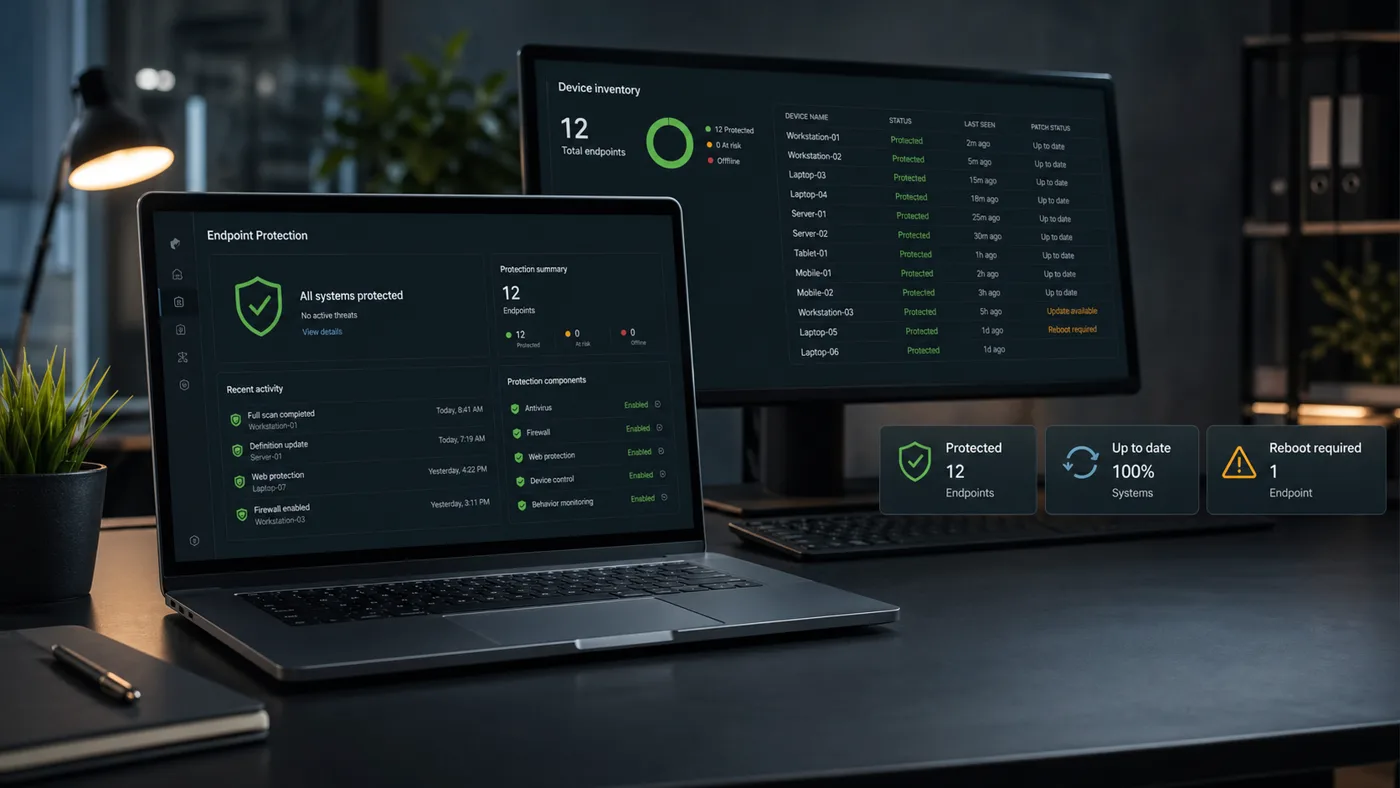
12 protectedEDR healthy
1 reboot duePatch follow-up
Estimated reading time
15 minutes
Primary systems
Windows, macOS, servers, browsers, EDR/MDR, patching, backup, Microsoft 365 device access
Who this guide is for
Small businesses managing employee laptops, office desktops, shared workstations, and servers without a full internal security team.
Last reviewed
April 2026
Who this guide is for
Laptop-heavy teams
Hybrid staff using Microsoft 365, browsers, Wi-Fi, and cloud apps from home, client sites, and the office.
Offices with shared workstations
Front desks, clinics, labs, warehouses, and admin teams where multiple users may touch the same device.
Businesses without a security team
Companies that need monitored protection and clear response steps without hiring internal analysts.
What endpoints are and why they matter
An endpoint is any user or server device that connects to your business systems. A laptop with Outlook and browser-saved sessions is an endpoint. A server running an accounting database is an endpoint. A shared reception desktop is an endpoint.
Endpoints matter because they sit where people, files, credentials, browsers, and business apps meet. If a device is compromised, the attacker may steal browser sessions, access OneDrive files, scan the network, reach file shares, or use the user’s permissions inside Microsoft 365.
Real-world scenario: ransomware behaviour starts on one laptop
A consultant laptop opens a malicious attachment that launches a script. Traditional antivirus does not recognize the file. The script starts checking mapped drives, touching many files quickly, and trying to access saved credentials. The user notices the laptop slowing down but assumes it is a normal update.
With EDR or MDR, that pattern can trigger an alert, isolate the device, and give the response team a timeline. Without it, the first clear sign may be renamed files across a shared drive. Endpoint security is about catching the behaviour while there is still time to limit spread.
Endpoint protection layers
No single endpoint control does everything. The strength comes from layers that reduce, detect, contain, and recover.
1. Reduce exposure
Patch operating systems, browsers, VPN clients, business apps, and firmware that attackers commonly target.
2. Limit privilege
Remove unnecessary local admin rights and keep sensitive data access role-based.
3. Detect behaviour
Use EDR or MDR to spot suspicious scripts, credential access, lateral movement, and ransomware activity.
4. Contain and recover
Isolate devices, reset credentials, restore files, and rebuild endpoints when trust is lost.
Endpoint controls and what they solve
The right endpoint stack is practical and maintainable. These controls cover the most common gaps in small-business environments.
Detection stack
Antivirus Shows up as: Blocks known malware and suspicious files. Business impact: Useful baseline, but limited against new or fileless attacks. First control: Keep enabled, centrally managed, and updated. EDR Shows up as: Monitors process, file, network, and user behaviour. Business impact: Helps investigate and contain suspicious activity. First control: Deploy to every company workstation and server. MDR Shows up as: Human monitoring and triage on top of EDR telemetry. Business impact: Useful when the business has no internal security team. First control: Define escalation and response authority.
Reduce exposure
Patch management Shows up as: Regular OS, browser, app, VPN, and firmware updates. Business impact: Closes known vulnerabilities before they become incidents. First control: Monthly cadence plus urgent critical patches. Local admin control Risk areaShows up as: Users cannot install or change everything by default. Business impact: Limits malware and attacker control after compromise. First control: Remove routine local admin rights.
Device hardening
Contain and recover
Endpoint isolation Shows up as: A suspicious device can be cut off while investigation continues. Business impact: Limits spread before one device reaches file shares or servers. First control: Confirm isolation works before an incident. Ransomware readiness Shows up as: EDR/MDR alerts, least privilege, protected backups, isolation. Business impact: Improves chance of containment and recovery. First control: Test backup restores and endpoint isolation.
Deep-dive guides in this section
Guide
EDR vs Antivirus
The practical difference between traditional antivirus and endpoint detection and response.
Read guideGuide
MDR vs EDR
How managed detection and response adds human investigation and response on top of endpoint telemetry.
Read guideGuide
Endpoint Isolation Explained
What endpoint isolation does during a suspected compromise and why it matters.
Read guideGuide
Patch Management Basics
Why patching operating systems, browsers, and applications is a security control, not just maintenance.
Read guideGuide
Ransomware Behavior on Endpoints
What ransomware commonly does on workstations and servers before files are encrypted.
Read guideWarning signs and red flags
Unusual file changes
Mass renames, new extensions, rapid modifications, or encrypted-looking files are urgent signals.
Suspicious scripts or process chains
Office apps launching PowerShell or command-line tools should be investigated.
Credential access alerts
Attempts to access browser sessions, password stores, or system memory can indicate theft.
Missing or unhealthy agents
Devices not reporting to endpoint protection create blind spots.
Long uptime and failed updates
Devices that never restart often fall behind on patches.
Users with local admin rights by default
Routine admin rights make malware and misconfiguration easier.
What to do first
Inventory every endpoint
Know which laptops, desktops, servers, and shared devices exist and who owns them.
Deploy monitored endpoint protection
Use EDR, and consider MDR or MSP monitoring if nobody internally owns alert triage.
Create a patch cadence
Patch operating systems, browsers, business apps, VPN clients, firewalls, and servers consistently.
Remove routine local admin rights
Use elevation only when needed instead of giving everyone permanent admin access.
Enable disk encryption
Use BitLocker or FileVault for laptops and store recovery keys somewhere controlled.
Test isolation and restore
Make sure you can isolate a device and restore business data before an incident.
Suspected endpoint compromise runbook
Use this when a laptop, server, workstation, EDR alert, or ransomware signal looks wrong.
Isolate the affected device
Use EDR or network controls to stop the endpoint from reaching file shares, servers, and other workstations.
Preserve the timeline
Capture alert details, logged-in user, recent processes, network connections, and file changes before rebuilding.
Reset exposed credentials
Change passwords and revoke sessions for the affected user, local admins, service accounts, and any cached privileged access.
Restore and harden
Restore clean data, rebuild devices that cannot be trusted, patch the exploited gap, and confirm backups are usable.
Common mistakes
Assuming antivirus equals endpoint security
Antivirus is a baseline. EDR/MDR adds behaviour monitoring, investigation, and response.
Protecting laptops but ignoring servers
Servers and shared systems often hold the highest-value data and need endpoint coverage too.
Letting every user be local admin
Convenience creates a larger blast radius when a device is compromised.
Skipping restore tests
Backups are only useful if restores work and cover the data the business actually needs.
Recommended controls
EDR or MDR coverage
Behaviour monitoring, alert triage, investigation, and isolation capability across workstations and servers.
Patch and configuration management
Operating system, browser, app, and firmware updates with reporting and follow-up.
Hardening basics
Local admin control, disk encryption, browser extension review, USB policy, screen lock, and device compliance.
Recovery readiness
Protected backups, restore testing, documented rebuild steps, and credential reset procedures.
FAQ
Is antivirus still needed if we have EDR?
Yes. Antivirus remains a useful baseline, while EDR adds behaviour detection, investigation, and response. Most modern endpoint platforms include both layers.
What is MDR in simple terms?
MDR adds human monitoring and triage to endpoint detection. It is useful for small businesses that have tools but no internal team watching alerts.
Should servers have endpoint protection too?
Yes. Servers often hold file shares, databases, and backup access. They should be monitored and patched carefully.
What is the fastest endpoint improvement?
Inventory devices, deploy monitored endpoint protection, remove unnecessary local admin rights, and verify patch reporting. Those steps close many common gaps.